
Cracking the Cron: A Developer's Guide to Cron Expressions
Cron schedules can feel cryptic. Learn the 5-field cron expression syntax, standard scheduler symbols, and how to decode and calculate cron timelines effortlessly.
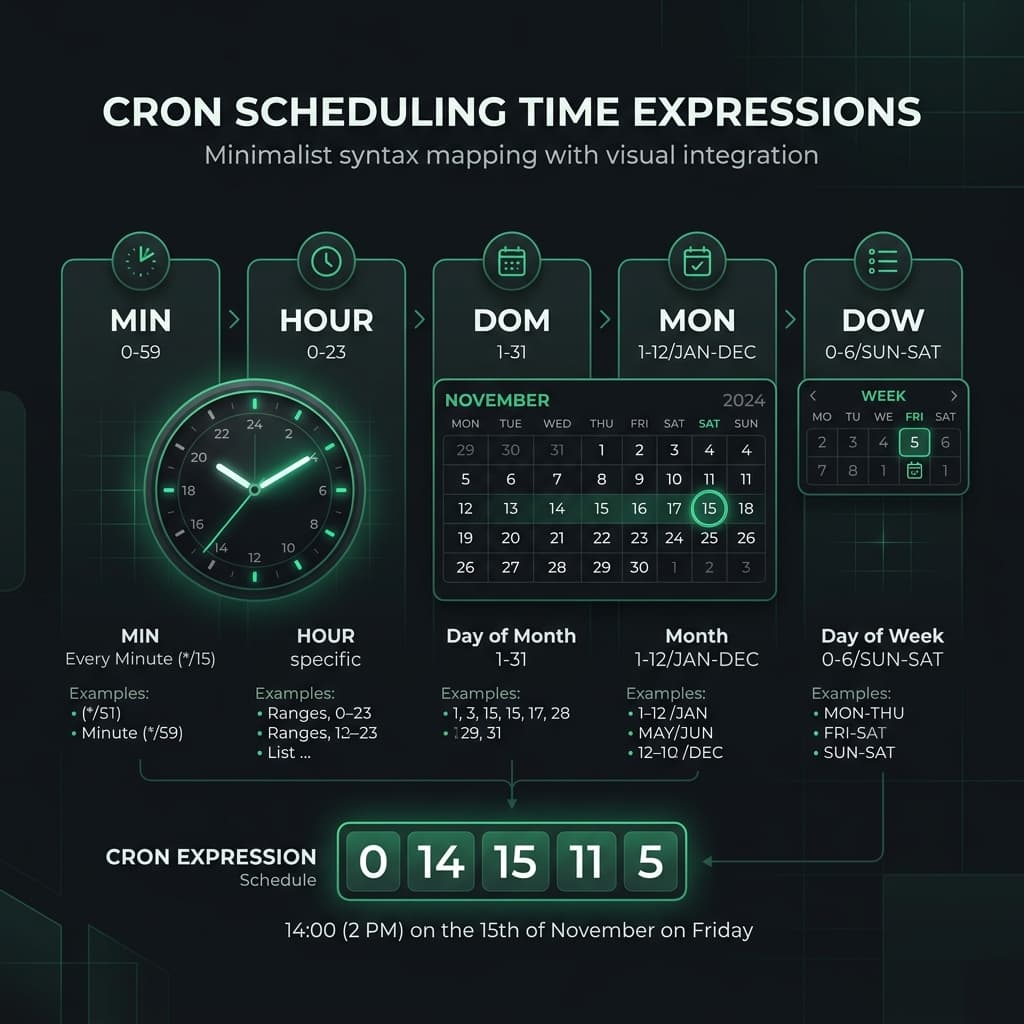
What is a Cron Job?
In software development, automation is key. A cron job is a time-based job scheduler in Unix-like computer operating systems. It allows developers to run scripts or commands automatically at specific intervals—whether it's running database backups every night at midnight, sending weekly email digests, or cleaning up log files every hour.
However, configuring when these jobs run requires writing a cron expression, which looks like a string of random numbers and symbols: 0 12 * * 1-5.
Let's break down cron syntax so you can write and schedule cron jobs with confidence.
The Five-Field Cron Syntax
A standard cron expression is composed of five fields separated by white spaces:
┌───────────── minute (0 - 59)
│ ┌───────────── hour (0 - 23)
│ │ ┌───────────── day of the month (1 - 31)
│ │ │ ┌───────────── month (1 - 12)
│ │ │ │ ┌───────────── day of the week (0 - 6) (Sunday to Saturday)
│ │ │ │ │
* * * * *
Common Cron Symbols
- Asterisk (*) — Represents "every" value.
*in the hour field means every hour. - Comma (,) — Specifies a list of values.
1,3,5in the day-of-week field means Monday, Wednesday, and Friday. - Hyphen (-) — Defines a range of values.
9-17in the hour field means every hour from 9 AM to 5 PM. - Slash (/) — Designates increments.
*/15in the minute field means every 15 minutes.
Examples of Common Cron Schedules
Here are some of the most common cron expressions developers use:
| Expression | Description |
|---|---|
0 * * * * | Run at the start of every hour (hourly) |
0 0 * * * | Run every day at midnight (daily) |
0 0 * * 0 | Run every Sunday at midnight (weekly) |
0 0 1 * * | Run on the 1st of every month at midnight (monthly) |
*/10 9-17 * * 1-5 | Run every 10 minutes during office hours (9 AM - 5 PM) on weekdays |
0 0 * * *(midnight) expecting local time, it will run relative to UTC, which might be in the middle of your users' active hours. Always map your UTC offsets before deploying cron jobs.How to Parse and Test Your Cron Schedules
Eyeballing cron syntax is a recipe for launching a backup script that runs every minute instead of once a day.
To decode any cron expression into plain, readable English and calculate the next five execution times, use our free Cron Expression Explainer. It validates your schedule and visualizes the timeline instantly.
If your cron scripts log output with Unix timestamps, you can quickly convert those timestamps to readable dates using our Unix Timestamp Converter.
Try it free