
Understanding JSON Web Tokens (JWT): Structure, Claims & Web Security
Learn the core structure of JWT tokens: Header, Payload, and Signature. Understand key claims, stateless authentication benefits, and common developer security pitfalls.
What is a JSON Web Token (JWT)?
In modern web development, stateless authentication is king. When you log into an application, instead of the server creating a session in a database, it often generates a **JSON Web Token (JWT)** and returns it to your browser.
A JWT is a compact, URL-safe means of representing claims to be transferred between two parties. It acts as an identity card: it tells the server who you are and what permissions you have, signed cryptographically to prevent tampering.
Let's deconstruct a JWT and look at the security implications.
The Three Parts of a JWT
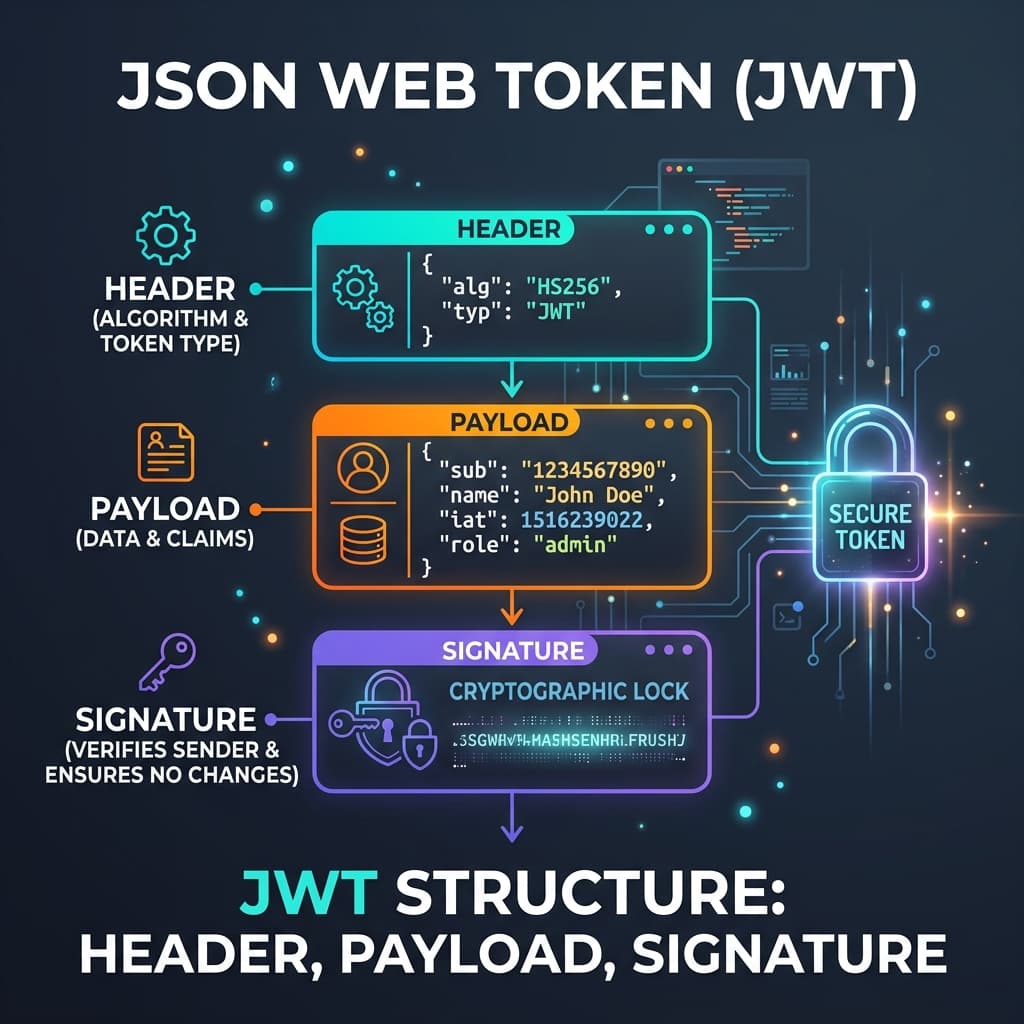
A JWT is a single string separated by two dots (.). It consists of three parts encoded in Base64Url:
header.payload.signatureIf you look at a raw token, it looks like a long string of random characters, but it actually has a clean structure:
1. The Header (Red)
The header typically consists of two parts: the type of the token (JWT) and the signing algorithm being used, such as HMAC SHA256 (HS256) or RSA (RS256).
{
  "alg": "HS256",
  "typ": "JWT"
}
2. The Payload (Blue)
The payload contains the claims. Claims are statements about an entity (typically, the user) and additional data. There are registered claims (like sub for subject, exp for expiration time) and public or private custom claims.
{
  "sub": "1234567890",
  "name": "Mathew Addala",
  "admin": true,
  "exp": 1780247222
}
3. The Signature (Green)
To create the signature part, you take the encoded header, the encoded payload, a secret key, and the algorithm specified in the header, and sign them. The signature is used to verify that the sender of the JWT is who it claims to be and to ensure that the message wasn't changed along the way.
Common JWT Vulnerabilities
While JWTs are highly secure when implemented correctly, simple developer mistakes can expose your application to authentication bypasses:
- The "alg": "none" Attack — Early parser implementations allowed tokens to specify
"alg": "none"in the header. If a server accepted this, it bypassed signature verification, allowing anyone to modify claims and gain admin access. - Weak Secret Keys — HS256 tokens signed with short, predictable secrets (like
"secret"or"my-key") can be cracked in seconds using brute-force tools like John the Ripper or Hashcat. - Missing Expiration Checks — If your server decodes tokens but fails to validate the
expclaim, stolen tokens will remain valid forever.
Decode and Inspect Your Tokens Securely
To decode, inspect, and verify the integrity of your JSON Web Tokens locally in your browser without sending your authentication credentials to a remote server, use our free JWT Decoder.
If you want to verify standard string encoding patterns often associated with authorization headers, you can also use our Base64 Encoder / Decoderto inspect tokens and data blocks.
Try it free